

Home / Technology Partners / Dell IT Support
TECHNOLOGY PARTNERS
Dell IT Support for Toronto & GTA Businesses
Keep your Dell equipment working with the applications, accounts and networks your business relies on. ITBizTek provides third-party Dell IT support for small and mid-sized businesses across Toronto and the GTA.

HOW WE HELP
Support across the Dell equipment lifecycle
A hardware purchase is only the start. Business devices need a consistent setup, dependable access to applications, maintenance and a replacement plan. We help connect Dell equipment with your wider IT environment and investigate issues that interrupt work.
01
Business computer setup
Configure Dell laptops and desktops with the agreed operating system, business applications, user accounts and access settings. Establish a repeatable setup for new hires and replacement devices.
02
Workstation troubleshooting
Investigate slow performance, software conflicts, connectivity and peripheral issues. Separate hardware symptoms from operating system, application or network problems before recommending a fix.
03
Server environment review
Review the role, condition and dependencies of Dell servers in scope. Plan maintenance and changes around business applications, backup requirements and an agreed maintenance window.
04
Updates and maintenance
Plan operating system, driver and firmware work appropriate to the device. Check model compatibility and business impact, and schedule disruptive changes with your team.
05
Warranty coordination
Use the relevant Dell Service Tag to identify equipment and review available manufacturer coverage. Help organise diagnostics and information for vendor escalation when the support scope includes it.
06
Refresh and procurement planning
Compare a targeted upgrade with a replacement based on workload, operating system support, warranty status and business needs. Coordinate purchasing with deployment and retirement planning.
YOUR BUSINESS ENVIRONMENT
Start with the equipment and the business problem
Our review starts with what the equipment does for your business. A desktop used for everyday office work needs a different assessment from a workstation running demanding applications or a server supporting several departments. Device age alone does not tell the whole story.
Common environments include Dell business laptops and desktops, Precision workstations and PowerEdge servers. The exact models, operating systems, application requirements and support availability determine the work we recommend. We confirm specialist storage or networking requirements before including them in a proposal.
If multiple devices are affected, the cause may be a shared application, account or network issue. Our managed IT services and business IT support connect device troubleshooting with that wider environment.
BEFORE WE START
What to share with us
- The Service Tag and exact equipment model
- What stopped working and who is affected
- Warranty coverage and application dependencies
THE SUPPORT PROCESS
A clear path from review to follow-up
01
Assess
Identify equipment, symptoms, dependencies and priorities.
02
Plan
Agree on the work, approvals and maintenance timing.
03
Resolve
Complete the scoped changes and verify affected workflows.
04
Document
Record the outcome and recommended next steps.
CONNECTED IT SUPPORT
Dell maintenance, security and replacement planning
Maintenance should support the way your staff work. Before changing a driver or firmware version, check the relevant model guidance and plan for any restart or downtime. Backups and a recovery approach matter when equipment holds business data or supports shared applications.
Our third-party service is separate from Dell’s manufacturer warranty. Parts, on-site manufacturer service, eligibility and turnaround depend on the coverage attached to the equipment. We review what is available rather than promise warranty repairs or parts availability.
When planning new equipment, connect IT procurement with endpoint security and backup and recovery planning. Replacing a computer should also include secure account access and the retirement of the old device.
WHY ITBIZTEK
Local people supporting your business technology
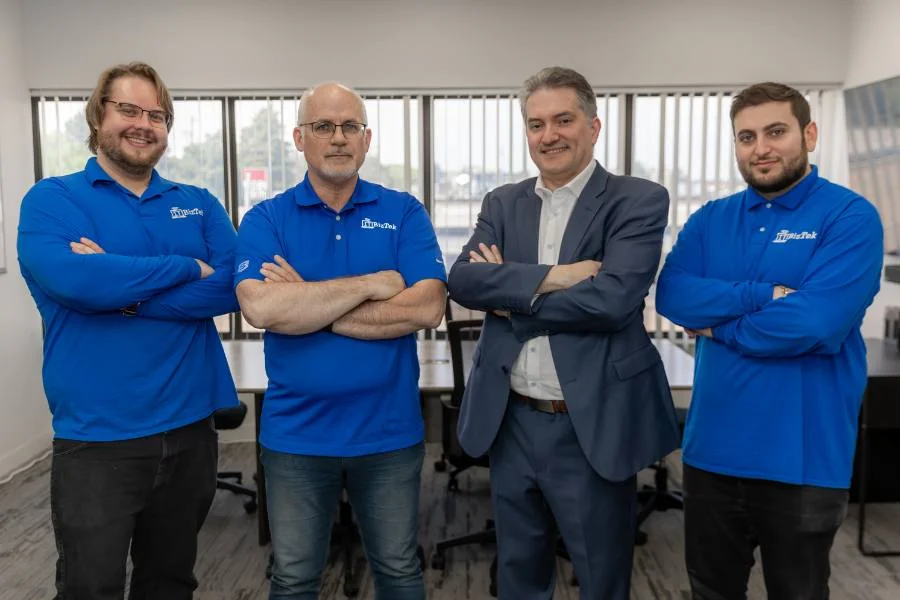
ITBizTek has supported businesses since 1998. With offices in North York and Richmond Hill, our team brings device, application, network and security work together for businesses across Toronto and the GTA.
- Review before recommending: understand your current equipment, software and priorities.
- Clear responsibilities: agree on the scope, approvals and communication.
- Practical planning: connect the immediate work with maintenance and future changes.
Meet ITBizTek and explore our technology partners and supported platforms.
PLANNING YOUR SUPPORT
What affects the cost?
The support scope depends on equipment numbers, device roles, age, operating systems and the issues involved. Project work, ongoing maintenance, replacement parts and manufacturer support contracts are different cost items. Tell us what you have and whether you need a specific problem resolved or ongoing support.
YOUR QUESTIONS
Dell IT Support FAQs
We review business laptops and desktops, workstations and server environments. Share the exact models or Service Tags so we can confirm suitability and scope. Specialist storage, networking or application requirements need a separate review.
No. ITBizTek provides third-party business IT support. Dell manufacturer warranty coverage and entitlement are determined separately. We can review available coverage and help coordinate escalation where that is included in the agreed work.
We can assess the equipment and available options. The right decision depends on condition, operating system support, parts availability and the business role. An upgrade or replacement may make more sense than a repair.
Yes. We can review workloads, software requirements and deployment needs as part of IT procurement planning. The goal is a suitable business configuration with a clear setup and support plan.
Include the device model or Service Tag, a brief description of the issue, when it started and how many people are affected. Tell us if the equipment hosts an important application or shared business data. Do not send passwords.
EXPLORE MORE
Technology and support that work together
SentinelOne
Explore deployment and support options.
Lenovo IT Support
Explore business device support.
Technology Partners
Find the platforms and equipment relevant to your business.
Manufacturer resource: Dell Canada product support.
Discuss Your Dell IT Support
Tell us which Dell equipment you use, what is causing problems and whether you need project or ongoing support. We will help identify the next practical step.