

Home / Cybersecurity Services / Managed Endpoint Security
CYBERSECURITY SERVICES
Managed Endpoint Security in Toronto & the GTA
Keep business laptops, desktops and servers covered as your team grows. ITBizTek helps Toronto businesses deploy and manage endpoint protection, review device security and define what happens when a threat is detected.
Or call (416) 342-1568.





WHAT THE SERVICE COVERS
Know which devices are protected and which need attention
Endpoint security protects the computers and servers employees use to access business systems. Coverage can become inconsistent when devices are replaced, staff work remotely or security software stops reporting. Our managed endpoint security service brings device protection and its ongoing administration into a coordinated approach, using Sophos within ITBizTek’s security offering.
01
Device inventory and coverage
Identify the business devices in scope, check which have supported security software and find gaps in protection. A dashboard is useful only when the devices that matter are actually enrolled and reporting.
02
Protection deployment
Plan and deploy the agreed endpoint software across supported devices. Review existing antivirus tools first to avoid conflicts and confirm compatibility with the operating systems and applications your business relies on.
03
Policies and updates
Apply appropriate protection settings and review the health of deployed software. Security policies should reflect how devices are used, with changes assessed against business requirements.
04
Threat alerts and investigation
Review endpoint detections and agree on the route for investigation and escalation. Monitoring, automated actions and human response need defined responsibilities in the service agreement.
05
Isolation and containment
Where the selected platform and configuration support it, a device can be isolated to limit its connections while a suspected threat is investigated. The response should account for the device’s role in business operations.
06
Lifecycle and reporting
Review device health, outstanding issues and changes as staff join or leave. Retired devices, missing agents and unsupported systems need follow-up rather than remaining unnoticed in an inventory.
BUILT AROUND YOUR BUSINESS
Antivirus, EDR and MDR: understand what is included
Antivirus and endpoint protection help detect and block malicious files or behaviour on a device. Endpoint detection and response, or EDR, adds visibility and investigation capabilities that can help a team understand suspicious activity and respond.
Managed detection and response, or MDR, is a service that adds people and operating processes around detection, investigation and response. It is not automatically included because an endpoint product has an EDR feature. We confirm the product licence, available functions, response coverage and escalation arrangements in your proposal.
These distinctions matter when you compare providers or complete a security questionnaire. Ask who reviews an alert, when they review it, what they are authorised to do and what happens outside normal business hours.
A PRACTICAL START
What a review can clarify
- Visibility into device protection gaps
- A rollout that accounts for existing software
- Defined alert handling and escalation
HOW IT WORKS
A clear process from review to ongoing support
We agree on the scope, priorities and responsibilities before work starts.
01
Review devices and requirements
Identify supported laptops, desktops and servers, existing protection, remote users and any critical applications.
02
Plan the rollout
Confirm licensing, device ownership, compatibility and how existing security software will be handled.
03
Deploy and check coverage
Install the agreed protection, verify that devices report correctly and investigate gaps or deployment problems.
04
Manage changes and alerts
Maintain the agreed policies, review device health and follow the defined process for detections and escalation.
WHY ITBIZTEK
A local team that understands your working environment
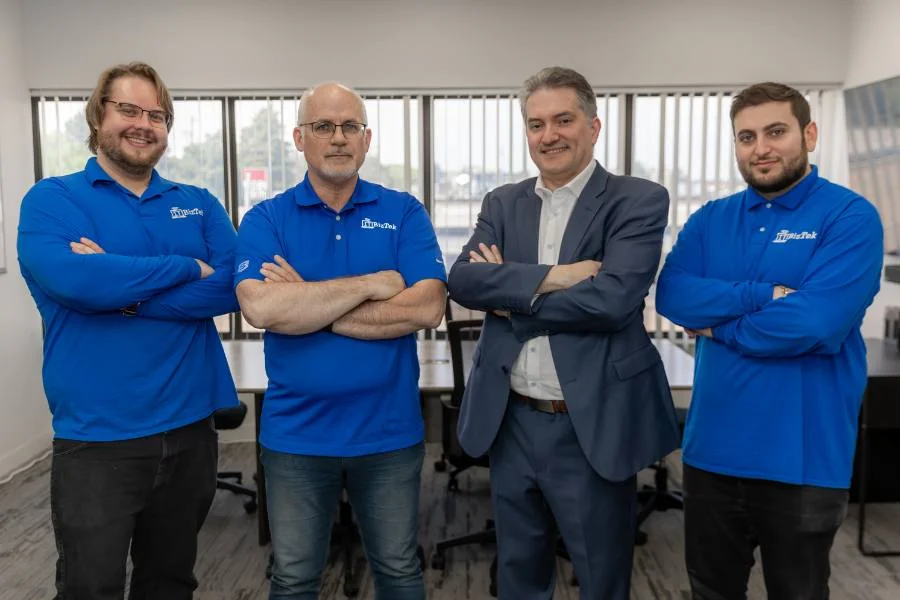
ITBizTek has supported businesses since 1998, with offices in North York and Richmond Hill. Our team connects security planning with the accounts, devices, networks and applications your employees use every day.
- Practical recommendations: review what you have before deciding what needs to change.
- Clear communication: understand the work, the next steps and the responsibilities included.
- Connected IT support: coordinate security with the wider systems your business depends on.
Learn more about ITBizTek or explore our managed IT services.
A LAYERED APPROACH
Protect devices within a wider security plan
Endpoint protection does not remove the need for secure accounts, phishing protection or managed firewall services. A stolen cloud password, for example, may be used without installing malware on a computer.
Backups also remain important. Disaster recovery planning defines how systems and data can be restored after a disruption. Our cybersecurity assessment can help identify gaps across devices, accounts, networks and recovery arrangements.
PLANNING YOUR SERVICE
What affects the cost?
Pricing depends on device counts and types, supported operating systems, product licences, existing security software and the management or response service required. Servers, unmanaged personal devices and after-hours response may have different requirements. We define the scope so the proposal reflects the devices and support you actually need.
YOUR QUESTIONS ANSWERED
Managed Endpoint Security: frequently asked questions
Have a question about your current setup? Tell us what you use today and what you want to improve.
Yes. A network firewall and protection on a computer address different risks. Devices may be used away from the office, and threats can arrive through email, downloads or compromised accounts. The appropriate controls depend on how the device is used.
We review the existing product, licences, supported devices and application requirements first. If replacement is appropriate, the transition needs a plan that avoids conflicts between security tools and unnecessary gaps in coverage.
Remote company devices can be considered within the scope, subject to operating system compatibility, connectivity and management requirements. Personal devices need a separate discussion about ownership, access, privacy and the controls the business can apply.
No. Protection may detect or block malicious behaviour, but no product guarantees that an attack cannot cause damage. Tested backups and a recovery plan remain necessary so the business has options if systems or data are affected.
MDR and continuous human response are specific services, not automatic features of every endpoint engagement. We confirm the licence, monitoring arrangements, response coverage and escalation responsibilities before deployment.
A missing or unhealthy agent can leave uncertainty about protection. The management process should identify the issue, investigate connectivity or software problems and confirm the device is reporting correctly again. The review frequency is defined in your service scope.
RELATED SERVICES
Build the right combination of protection
Independent guidance: Canadian Centre for Cyber Security baseline controls for small and medium organisations.
Request an Endpoint Security Review
Tell us approximately how many laptops, desktops and servers you use, where employees work and what security software is installed today. We will help identify coverage gaps and the right management scope.