

Why Small Businesses Are the Primary Target in 2027
It’s a mistake a lot of Toronto business owners make: assuming they’re too small to be a worthwhile target for cybercriminals. The data points in exactly the opposite direction. According to the Canadian Centre for Cybersecurity’s National Cyber Threat Assessment, small and medium businesses face the same threat actors as large enterprises but typically with a fraction of the defences. Attackers use automated tools that don’t discriminate by company size – they scan for weak passwords, unpatched systems, and missing multi-factor authentication across millions of targets simultaneously.
In 2027, the threat landscape has evolved in ways that make baseline security measures more important than ever. Ransomware-as-a-Service has made sophisticated attacks accessible to actors without technical expertise. AI-powered phishing tools generate convincing, grammatically correct emails at scale. Supply chain attacks compromise trusted software vendors to reach their downstream customers. None of these require specifically targeting your business. They just need to find you unprepared.
This checklist organizes the controls that the Canadian Centre for Cybersecurity and established frameworks like the NIST Cybersecurity Framework recommend for small businesses into a format your team can actually work through. Some items are DIY. Others need professional support. The goal is a clear picture of where your gaps are and what to do about them. Your cybersecurity posture isn’t a set-and-forget configuration – it’s a practice.
The 2027 Small Business Cybersecurity Checklist
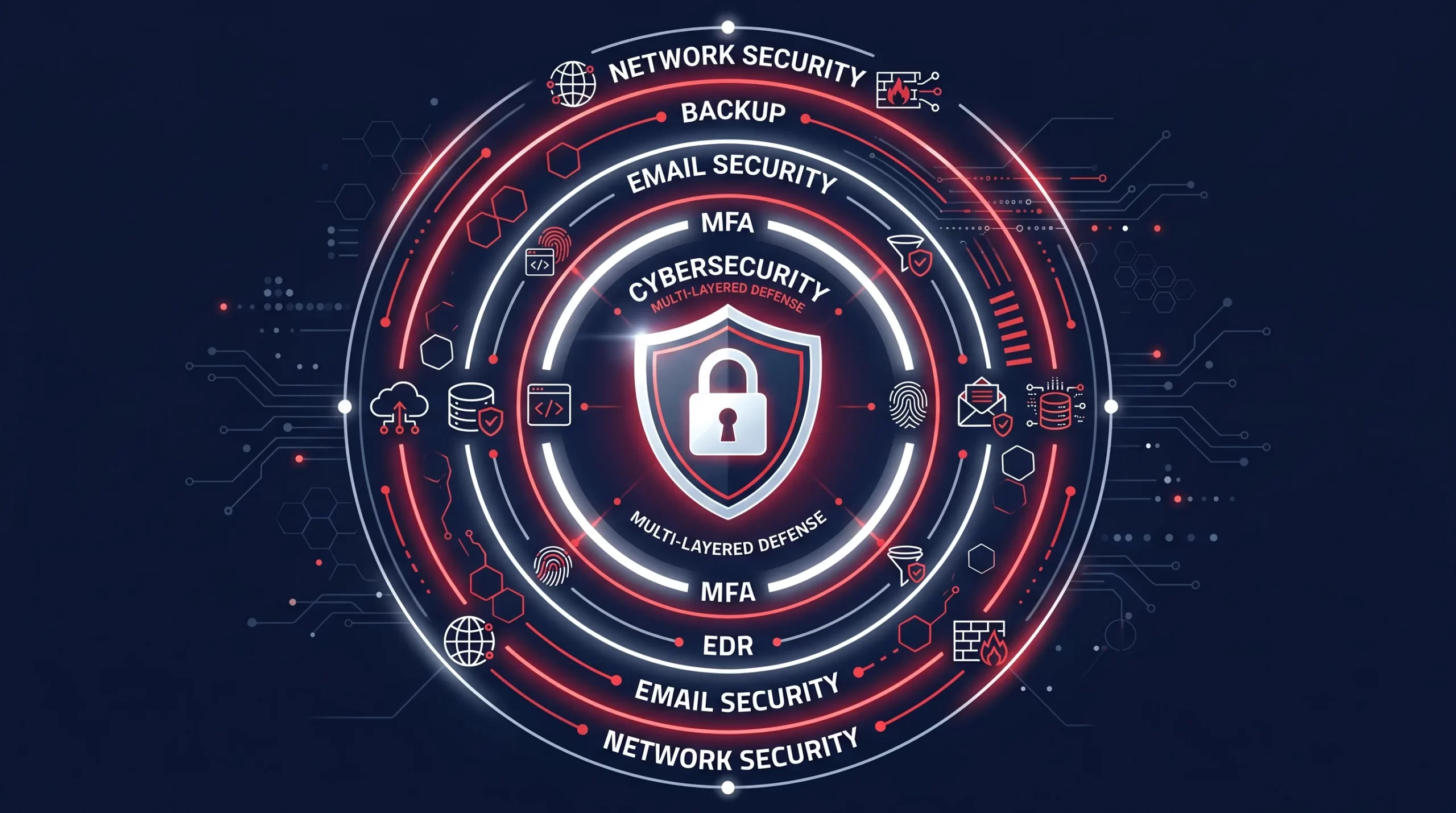
Identity and Access Management
- Multi-factor authentication (MFA) on every account that offers it – Email, cloud platforms, remote access tools, financial accounts, and administrative interfaces. MFA blocks the vast majority of credential-based attacks. If your Microsoft 365 or Google Workspace admin account doesn’t have MFA enforced, that’s your highest-priority fix. Not optional.
- No shared credentials – Every person in your organization should have their own login credentials. Shared accounts eliminate accountability, complicate access revocation when someone leaves, and make breach investigation nearly impossible.
- Privileged access review – Run a quarterly audit of who has admin-level access to your systems, cloud platforms, and applications. The principle of least privilege applies: access should be limited to what each person needs to do their job, nothing more.
- Offboarding checklist is documented and followed – When someone leaves the company, their accounts should be disabled on the day of departure, not whenever IT gets around to it. This includes personal devices (BYOD), shared cloud storage, email forwarding rules, and any third-party platforms they had access to.
Endpoint Security
- Endpoint Detection and Response (EDR) on all company devices – Traditional antivirus is no longer sufficient against modern threats. EDR tools monitor device behavior in real time and can detect and isolate compromised endpoints. For a Toronto SMB, a cloud-managed EDR platform like Microsoft Defender for Business or a comparable solution provides enterprise-grade protection at an accessible price point.
- Automatic OS and application patching – Unpatched systems are the most common attack surface for opportunistic attackers. Critical patches should be applied within 72 hours of release. Use automated patch management to remove the human dependency from this process.
- Encryption on all company laptops and mobile devices – Full-disk encryption (BitLocker on Windows, FileVault on Mac) ensures data is unreadable if a device is lost or stolen. This is a requirement under most privacy legislation when handling personal information.
- Mobile device management (MDM) for BYOD devices that access company data – If employees use personal phones or tablets for work email or files, MDM lets you enforce minimum security standards and remotely wipe the corporate data if the device is lost or the employee leaves.
Backup and Recovery
- 3-2-1 backup rule implemented and tested – Three copies of data, on two different media types, with one copy offsite (or in the cloud). This is the minimum resilience baseline. Backups that have never been tested are not backups – they’re assumptions. Run a quarterly restore test on a critical dataset.
- Backups are separate from your primary systems – Ransomware routinely attempts to encrypt or delete backup data before triggering the main attack. Backups must be stored on systems that are not directly accessible from your primary network and ideally use a different set of credentials.
- Recovery time objective (RTO) is documented – Know in advance how long it would take to restore operations from backup, and whether that’s acceptable for your business. Most SMBs discover during an incident that their recovery time is far longer than they assumed.
Network Security
- Separate guest Wi-Fi network – Visitors and personal devices should never be on the same network as company systems and data. A segregated guest network is a basic containment measure that prevents lateral movement if a personal device is compromised.
- DNS filtering enabled – DNS filtering blocks connections to known malicious domains before any malware payload downloads. It’s one of the most cost-effective security controls available and can be implemented within an hour on most networks.
- VPN for remote access to company systems – Remote employees accessing internal systems should do so through a company-managed VPN, not direct internet exposure. Exposed RDP (Remote Desktop Protocol) ports are one of the most common ransomware entry points.
- Firewall rules are documented and reviewed annually – Over time, firewall rules accumulate unnecessary exceptions. An annual review ensures only required ports and services are open, and old exceptions don’t become persistent vulnerabilities.
Email Security
- SPF, DKIM, and DMARC configured for your domain – These three email authentication records prevent attackers from spoofing your domain to send phishing emails that appear to come from your business. Most cloud email platforms include tools to configure these; your IT provider can verify they’re properly set.
- Anti-phishing and anti-spam filtering active – Email filtering that detects and quarantines phishing attempts before they reach employee inboxes is non-negotiable. Microsoft 365 Defender and Google Workspace both include this; standalone solutions exist for other platforms.
- Executive email impersonation protection enabled – Business email compromise (BEC) attacks impersonate executives to request fraudulent wire transfers or credential resets. Most enterprise email platforms offer impersonation protection rules that flag emails appearing to come from executives but originating outside your domain.
Security Awareness Training
- Annual security awareness training for all staff – Training should cover phishing recognition, password hygiene, safe handling of sensitive data, and what to do if they suspect a compromise. Annual classroom-style training has limited retention; simulated phishing exercises that repeat throughout the year are significantly more effective.
- Phishing simulation program in place – Platforms like KnowBe4, Proofpoint Security Awareness, or Microsoft Attack Simulator send simulated phishing emails to your staff and track click rates. Staff who click get immediate in-context training. Click rates typically drop significantly after 6 to 12 months of consistent simulation.
- Clear process for reporting suspected phishing – Employees need to know how to report a suspected phishing email or security incident, and they need to feel comfortable doing so without fear of consequences. A reporting culture prevents single incidents from becoming breaches.
Incident Response
- Written incident response plan exists – A documented plan that covers: who gets notified when an incident is suspected, who makes the decision to escalate, how systems are isolated, and who communicates externally (including to affected customers and regulators if required). The plan should be reviewed and tested annually.
- Cyber insurance policy in place and current – Cyber insurance has become a standard risk management tool for SMBs. Most insurers now require evidence of specific controls (MFA, EDR, backups) before providing coverage. Review your policy annually to ensure it reflects your current risk profile and that coverage limits are adequate.
Important Information
Disclaimer: This article is for general informational purposes only and does not constitute professional cybersecurity, legal, or compliance advice. Cybersecurity threats, products, regulatory requirements, and best practices change rapidly. ITBizTek is not liable for outcomes from actions taken based on this content. Cybersecurity requirements vary by industry, jurisdiction, and the specific nature of data your business handles. Engage a qualified cybersecurity professional for advice specific to your organization’s situation and compliance obligations.

Frequently Asked Questions About Small Business Cybersecurity
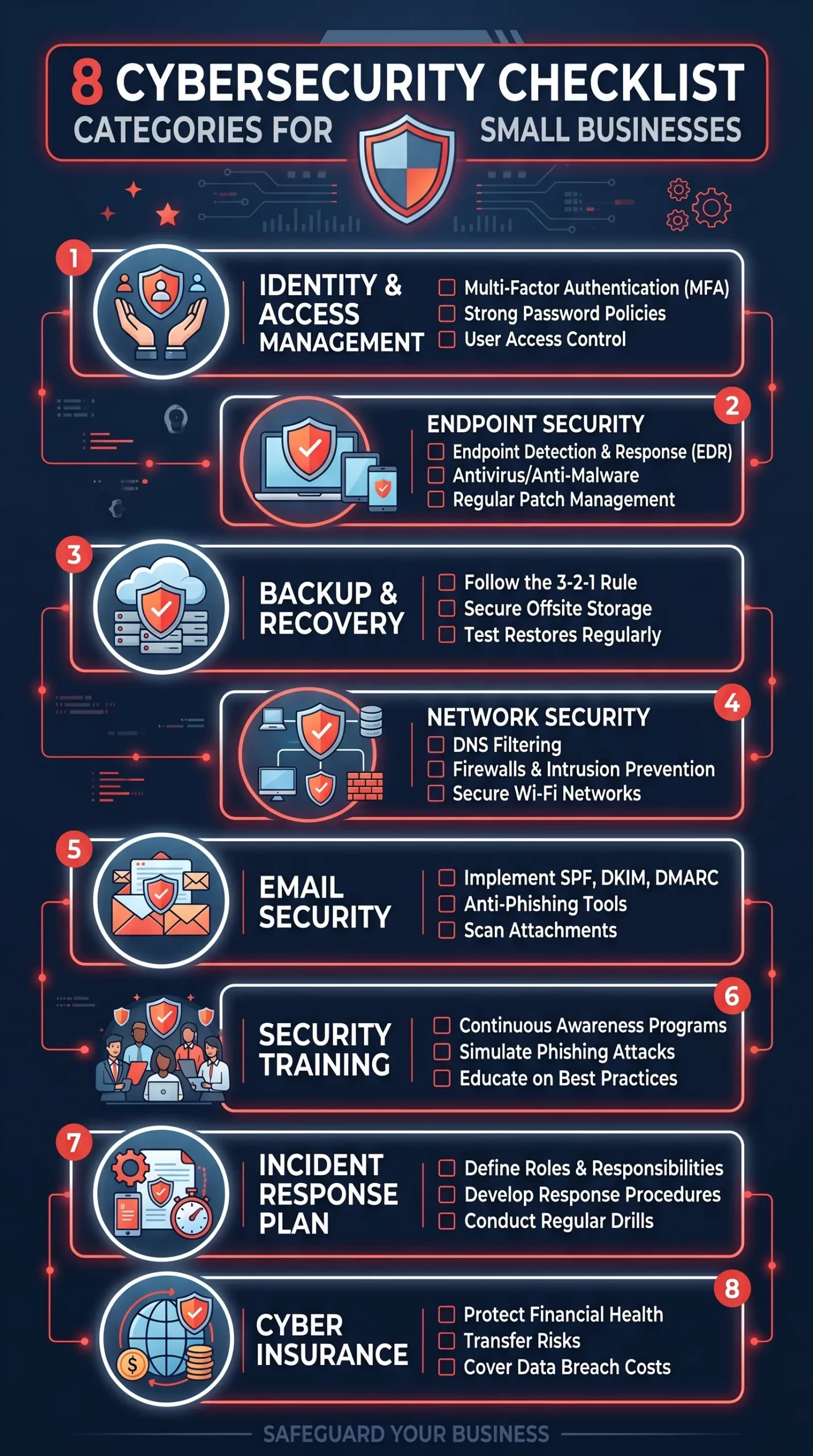
Download the Quick Guide (PDF)
Sources and References
- Canadian Centre for Cybersecurity – National Cyber Threat Assessment 2025-2026
- Canadian Centre for Cybersecurity – Baseline Cyber Security Controls for Small and Medium Organizations
- NIST – NIST Cybersecurity Framework
- Office of the Privacy Commissioner of Canada – PIPEDA and privacy obligations for Canadian businesses
Get Your Cybersecurity Assessment from ITBizTek
Working through a checklist is a good starting point. Getting a professional security assessment tells you where you actually stand – the gaps you may not be aware of, the tools you’re paying for that aren’t configured correctly, and the priorities that will get you the most protection per dollar invested.
ITBizTek provides cybersecurity assessments and managed security services for Toronto and GTA small businesses. Our team works with you to close your gaps systematically, not just sell you more software. Contact us today to book your cybersecurity assessment.