
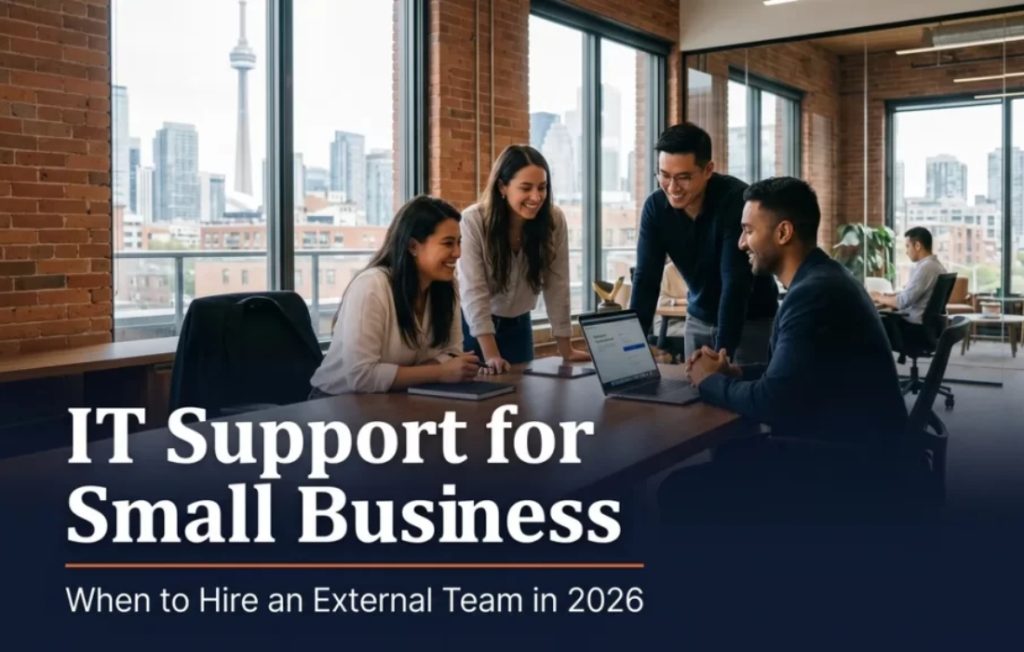
Picture this. It is 4:47 on a Friday afternoon, your sales manager cannot get into her email, the printer in the back office is offline, and the only person on staff who knows the Wi-Fi password is on vacation in Mexico. This is the moment most small business owners realize their current approach to small business IT support is held together with duct tape and a phone number for a friend’s nephew. The question is not whether you need help. The question is whether the right help is internal, external, or some mix of both. Toronto IT support services exist precisely for this in-between space, and the decision deserves more than a coin flip.
This guide walks through the signals that point to outsourcing, what an external team actually does, what it costs, and how to tell whether you are ready before you sign a contract. No sales pitch, just a clear way to think about the decision.
Quick take
For most Toronto SMBs between 8 and 60 staff, an external IT team is the right call. Below that, a part-time contractor handles it. Above that, a small in-house team paired with an external partner usually wins. The decision is rarely about whether to outsource. It is about which model fits the stage of the business.
The three options for small business IT
Every small business in Toronto and the GTA falls into one of three patterns, and each has trade-offs. Pretending you have a fourth option is how budgets get blown.
Option 1: In-house only
One person on staff handles everything technical, from password resets to security strategy. This works at the very smallest scale, where most issues are minor. It breaks once the company crosses about 25 staff or once compliance, security, and cloud architecture become regular concerns. One person cannot be deep in all of these areas. They will be good at two and weak at the rest, and the weak ones become risk.
Option 2: Fully external (managed services)
A managed services provider takes responsibility for help desk, monitoring, security, backups, vendor coordination, and strategic guidance. The MSP brings a bench of specialists in different areas (network, security, Microsoft 365, identity, cloud) and you tap into the relevant one as needed. This is the most common model for Toronto SMBs between 10 and 60 employees, and it scales reasonably well past that with the right partner.

Option 3: Hybrid (small in-house team plus external partner)
One internal IT person owns the day-to-day relationship with the business, the office moves, the desk-side help, the executive support. The external partner handles security, infrastructure, cloud architecture, after-hours coverage, and vendor management. This is what mature Toronto businesses with 60 plus staff usually run, and it pairs well with strategic IT consulting services for bigger projects.
Side by side: in-house vs hybrid vs external
| Factor | Solo in-house | External team | Hybrid |
|---|---|---|---|
| Coverage hours | 9 to 5, M to F | 24/7 monitoring | 24/7 with on-site |
| Specialist depth | Limited to one person | Bench of specialists | Best of both |
| Vacation coverage | Single point of failure | Always covered | Always covered |
| Strategic guidance | Limited | Quarterly reviews | Strong |
| Monthly cost (10 to 30 staff) | 7,000 to 9,000 | 2,500 to 7,500 | 9,000 to 14,000 |
| Best for | Under 10 staff | 10 to 60 staff | 60 plus staff |
Save your money
A common mistake is hiring a senior in-house IT manager at 110,000 dollars plus benefits, then asking them to also do help desk. You end up paying senior rates for junior work, and the senior person leaves within 18 months because the role does not match their experience. Outsourcing the help desk and keeping the senior person focused on strategy is almost always cheaper and better.
Cost reality for a Toronto SMB
Pricing for managed IT services in Toronto generally lands in two structures. Per-user, per-month pricing ranges from 110 to 240 dollars per employee depending on what is included. Per-device pricing runs 60 to 120 dollars per managed device. Most providers will quote a fixed monthly fee for predictability, with a clear scope of what is in and what is out.
The biggest variables are: hours of coverage (business hours vs 24/7), security stack included (basic AV vs full EDR plus SIEM), and project work (in scope or billed separately). A 25-person Toronto law firm typically spends 4,500 to 7,000 per month on a full-service managed agreement. A 12-person creative agency closer to 1,800 to 3,200. Pricing for managed IT support services varies meaningfully across the GTA, so collect at least three quotes before committing.
People often ask
Is it cheaper to hire one IT person or pay an MSP? For companies under 50 staff, an MSP is almost always cheaper when total cost is honestly compared. A senior IT generalist in Toronto runs 90,000 to 130,000 dollars in salary plus 25 percent in benefits, software, training, and overhead. That is roughly 120,000 to 170,000 fully loaded. A 40-person company on a comprehensive MSP plan typically spends 60,000 to 110,000 per year and gets a much wider skill bench. The math flips around 60 staff.
Six signals it is time to hire external IT
If two or more of these are true for you right now, the conversation has already started.
1. Downtime is creeping up. Track outages for one quarter. Anything over four hours of total system downtime per month for a knowledge-work business is too much. The cost of that lost productivity is almost always higher than the monthly cost of a managed agreement.
2. Backups exist but no one verifies them. If you have not tested a restore from your backup in the past 90 days, your data exists in a backup theoretically. The first restore attempt almost always teaches you something uncomfortable.
3. Compliance demands have outpaced internal capacity. Industry rules are tightening across healthcare, legal, finance, and any business handling personal information under PIPEDA. If documentation, monitoring, and audit prep are stealing hours from your operations team, that is a sign.
4. Hybrid work is straining your setup. Remote and in-office staff need the same tools, the same security, and the same access. If your VPN is slow, your file shares are confusing, or your conferencing setup keeps breaking, the underlying infrastructure has not kept up.
5. Phishing attempts are landing. Run a simulated phishing test. If more than 15 percent of staff click on the simulated attack, training is overdue and you need a partner who runs that program for you.
6. Vendor sprawl is out of control. If you are juggling six or more disconnected technology vendors with no one orchestrating them (one for email, one for backup, one for the website, one for the phone system, one for security, one for printing), you are paying the integration tax in your own time.

What to look for in a partner
Not every Toronto MSP is the right fit. The best ones share four characteristics that you can verify in a single discovery call.
They ask about the business first, not the technology. A partner who opens with “tell me about your software” is going to sell you software. A partner who opens with “what does your team actually do day to day” is going to design for the work, not the tools.
They publish their response time commitments. Ask for the SLA in writing. The good ones quote a 15-minute response on critical issues during business hours and 30 minutes after hours, with a clear definition of what counts as critical. The vague ones say “we get back quickly,” which is not a commitment.
They have a documented onboarding process. The first 30 days set the tone for the next three years. A serious provider will walk you through inventory, documentation, security baseline, and stakeholder interviews in a structured order. If onboarding sounds improvised, the relationship will feel that way too.
They support your geography. An MSP based in Toronto with technicians in Mississauga, Vaughan, and Markham can show up at your office in under an hour. A national chain treating you as a remote ticket is a different relationship. For most SMBs, the local model wins.

Download the External IT Team Decision Guide
A printable PDF with the six signals, the cost comparison table, and the questions to ask a prospective MSP.
Download free guide (PDF)The verdict
For most Toronto small businesses with 8 to 60 staff, hiring an external IT team is the right call. It costs less than a senior in-house hire, gives you a deeper bench of specialists, and removes the single-point-of-failure risk that comes with relying on one person. The companies that wait too long to make the move usually do it after a breach, an outage, or a compliance miss, and that timing is far more expensive than choosing the moment yourself.
Considering a move? ITBizTek works with Toronto and GTA businesses on managed IT, cybersecurity, and the full transition from DIY to a structured program. Book a free consultation.
Disclaimer: This content is general IT guidance, not a security audit or legal advice. ITBizTek is not liable for breaches, regulatory penalties, or data loss from actions taken without a professional risk assessment. Vendor relationships, contracts, and SLAs should be reviewed by qualified counsel for your specific situation.
Sources and references
- Canadian Centre for Cyber Security, Baseline cyber security controls for small and medium organizations
- Office of the Privacy Commissioner of Canada, PIPEDA obligations for businesses
- Government of Canada Innovation Hub, Digital transformation service standard for Canadian organizations