
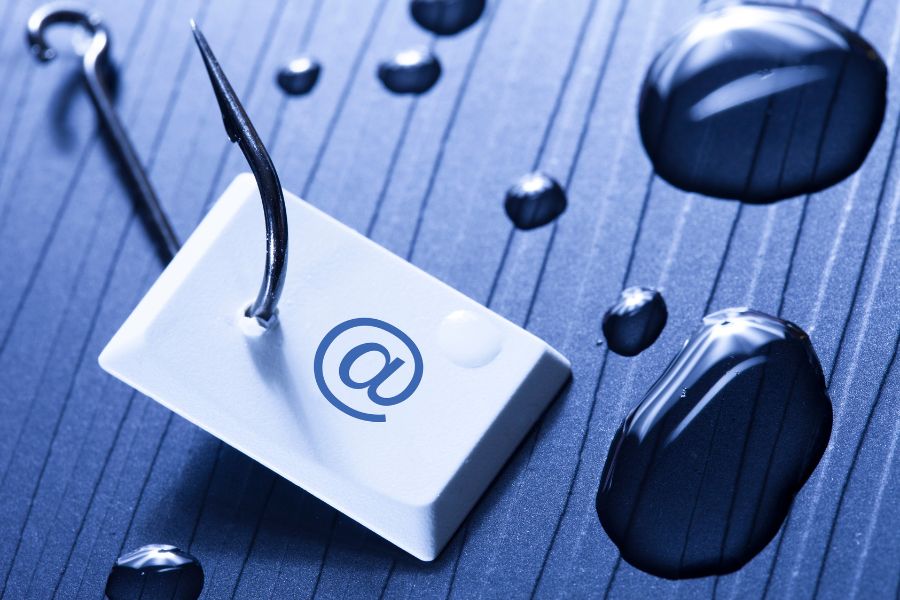
Phishing Attacks: How to Recognize and Prevent Them in Your Business
Phishing attacks remain one of the simplest ways for cybercriminals to get inside a business.
Instead of trying to break through a complicated security system, an attacker may simply convince an employee to give away a password, approve a login, open an infected attachment, change payment information, or sign in to a fake website.
That is what makes phishing so dangerous. The attack is aimed at people as much as technology.
Businesses can reduce the risk by combining employee awareness with stronger account security, email protection, multi-factor authentication, monitoring, and clear procedures for reporting suspicious messages.
What Is a Phishing Attack?
Phishing is a form of social engineering in which an attacker pretends to be a trusted person, company, service, or organization.
The goal is to convince the recipient to take an action that benefits the attacker.
A phishing message might ask an employee to sign in to Microsoft 365, review an invoice, reset a password, open a document, approve an MFA request, send money, purchase gift cards, or provide confidential information.
The message may arrive through email, text message, social media, a phone call, a QR code, or another communication channel.
Some phishing campaigns are sent to thousands of people. Others are carefully researched and aimed at one employee.
How Does a Phishing Attack Work?
Most phishing attacks rely on trust, urgency, curiosity, or fear.
An employee might receive what appears to be an urgent message from a manager asking them to review a document. Another message might warn that their email account will be suspended unless they immediately sign in.
The link leads to a page that looks similar to a legitimate Microsoft, Google, banking, shipping, or business website.
Once the employee enters their credentials, the attacker receives them.
Other attacks use malicious attachments, fake payment requests, QR codes, phone calls, or requests to change banking information.
The exact method varies, but the objective is usually similar: convince someone to do something they normally would not do if they knew who was really making the request.
Common Types of Phishing Attacks
Understanding how phishing appears in the real world can make suspicious messages easier to recognize.
Email Phishing
Email phishing is one of the most familiar forms.
Attackers send messages designed to look like they came from legitimate companies, suppliers, financial institutions, delivery services, software platforms, or other trusted sources.
The email may contain a malicious link, attachment, fake login page, payment request, or request for sensitive information.
Spear Phishing
Spear phishing is more targeted.
Instead of sending the same message to thousands of people, the attacker researches a particular employee or organization.
They may include an employee’s name, job title, company, supplier, manager, project, or other information to make the request appear convincing.
Because the message contains familiar details, it can be harder to recognize as phishing.
Whaling
Whaling is a targeted phishing attack aimed at senior executives or other high-value individuals.
Executives may have access to sensitive financial information, confidential files, employee records, payment systems, and important business accounts.
That access can make them particularly attractive targets.
Business Email Compromise
Business Email Compromise, commonly called BEC, often involves an attacker impersonating an executive, employee, supplier, or business partner.
The attacker may request a wire transfer, ask accounting staff to change banking information, or convince an employee to send sensitive documents.
Sometimes the criminal spoofs an email address. In other cases, they compromise a legitimate email account and send requests from the real address.
That second scenario can be especially difficult for employees to detect.
Smishing
Smishing is phishing conducted through text messages.
The message may claim that a package cannot be delivered, an account requires verification, a payment has failed, or some other urgent action is required.
It usually directs the recipient to a malicious website or asks for personal information.
Vishing
Vishing uses phone calls or voice messages.
Attackers may impersonate banks, technical support departments, government agencies, customers, suppliers, or even other employees.
The caller may request passwords, verification codes, financial information, remote computer access, or payment.
QR Code Phishing
QR codes provide another way to hide a malicious destination.
An employee may receive an email telling them to scan a QR code to verify their account, access a document, or complete another task.
Because the final website may open directly on a mobile phone, traditional email link checking may be less useful.
Employees should treat unexpected QR codes with the same caution as unexpected links.
Domain Spoofing and Fake Login Pages
Attackers frequently create email addresses and websites that resemble legitimate ones.
A domain may contain an extra character, a different ending, or a subtle spelling change.
The website itself may closely copy a familiar login screen.
Seeing a professional design, company logo, or HTTPS connection does not by itself prove that the website is legitimate.
Social Media and Angler Phishing
Attackers can also impersonate companies or customer support teams on social media.
Someone who publicly asks a company for help may receive a response from a fake support account asking them to click a link or provide account information.
Employees who manage business social media accounts should be aware of this type of impersonation.
Why Phishing Attacks Are Dangerous for Businesses
One successful phishing message can create problems well beyond one employee’s inbox.
Stolen Business Accounts
If an attacker obtains an employee’s email or cloud credentials, they may gain access to messages, contacts, shared files, applications, and other connected resources.
A compromised account may then be used to send additional phishing messages from inside the organization.
Financial Fraud
Some phishing attacks are designed specifically to redirect payments.
An attacker may impersonate a supplier and request new banking information or pretend to be an executive authorizing a payment.
These requests can appear believable, especially if the attacker has already gained access to a legitimate email account.
Data Exposure
Compromised accounts can expose customer information, employee records, confidential communications, contracts, financial files, intellectual property, and other sensitive business information.
Malware and Ransomware
Phishing messages can also be used to deliver malicious files or direct users toward malware.
A successful attack may become the first step in a larger incident involving system compromise or ransomware.
Business Disruption
Responding to an attack takes time.
Accounts may need to be disabled, passwords changed, devices investigated, systems restored, customers notified, and financial transactions reviewed.
Even an incident that is eventually contained can interrupt normal business operations.
How to Recognize a Phishing Email or Message
Phishing messages are becoming more polished, so spelling mistakes alone are no longer a reliable way to identify them.
Instead, employees should pay attention to the context of the request.
Common warning signs include unexpected requests to sign in, unusual payment instructions, requests for passwords or verification codes, urgent demands from executives, unexpected attachments, unfamiliar QR codes, suspicious sender addresses, unusual changes to supplier banking information, and login notifications that the employee did not initiate.
One of the most important questions to ask is simple: Was I expecting this?
If an email from a supplier suddenly asks for new banking information, verify it using a known phone number.
If the CEO unexpectedly requests gift cards, contact them through another communication method.
If Microsoft supposedly needs you to reset a password, go directly to the normal Microsoft login page rather than following the link in the email.
Verification should take place outside the suspicious message itself.
How Businesses Can Prevent Phishing Attacks
There is no single tool that can stop every phishing attempt.
A stronger approach combines technology, employee awareness, account security, and internal procedures.
1. Train Employees to Recognize and Report Phishing
Employees should know what phishing looks like and what to do when something feels wrong.
Training should cover more than obvious spam emails. Employees should learn about fake login pages, payment fraud, impersonation, suspicious MFA requests, QR codes, text messages, phone scams, and compromised supplier accounts.
Just as importantly, make reporting easy.
Employees who think they clicked something suspicious should know exactly who to contact. The earlier your IT team learns about the incident, the sooner they can investigate it.
2. Use Multi-Factor Authentication
Passwords alone provide limited protection if an employee accidentally enters one into a phishing website.
Multi-factor authentication adds another verification requirement before access is granted.
Businesses should enable MFA on important systems such as email, Microsoft 365, Google Workspace, financial applications, cloud storage, remote access, and administrative accounts.
Not every MFA method provides the same level of protection. Security keys, passkeys, and other phishing-resistant authentication methods should be considered for sensitive and administrative accounts when supported.
3. Use Strong, Unique Passwords
Employees should never reuse the same password across multiple business and personal accounts.
If one website is compromised, reused credentials can give an attacker a way into completely unrelated systems.
Long, unique passwords are generally more useful than trying to create short passwords that meet complicated character rules.
A reputable password manager can generate and securely store unique passwords for different accounts, reducing the need for employees to memorize them all.
Passwords should also be changed promptly when there is reason to believe an account or credential has been compromised.
4. Consider Passkeys
Where supported, passkeys can provide an alternative to traditional passwords.
Rather than typing a reusable password into a website, passkeys use cryptographic authentication associated with a user’s device or account.
They can provide stronger resistance against fake login pages because the authentication is tied to the legitimate service rather than relying on an employee to decide whether a website looks real.
5. Protect Business Email
Email security tools can help identify spam, malicious links, suspicious attachments, impersonation attempts, and other threats before they reach an employee.
ITBizTek provides advanced email security as part of our cybersecurity services, helping businesses add another layer of protection around one of their most commonly targeted communication systems.
Email protection should complement employee awareness rather than replace it.
Attackers constantly change their techniques, and no filter catches everything.
6. Verify Financial and Sensitive Requests
Companies should have clear procedures for requests involving money, passwords, confidential information, or banking changes.
For example, an employee should not change a supplier’s payment details based only on an email.
Require verification through a known phone number, established contact, or another approved communication channel.
Similar procedures can be used for wire transfers, large purchases, employee banking changes, confidential records, and unusual executive requests.
7. Keep Software and Devices Updated
Phishing is often the beginning of an attack rather than the entire attack.
If an employee opens a malicious file or website, an attacker may attempt to exploit an unpatched device or application.
Keeping operating systems, browsers, applications, security software, and other business technology updated helps reduce this risk.
8. Limit Access to Sensitive Systems
Employees should have access to the systems and data required for their jobs, but they do not necessarily need access to everything.
Limiting administrative privileges and unnecessary access can reduce the amount of damage possible if one account becomes compromised.
Accounts should also be disabled promptly when employees leave the organization or no longer need access.
9. Monitor Accounts and Network Activity
Suspicious logins, unusual locations, unexpected forwarding rules, repeated MFA requests, and other changes can indicate that an account is under attack.
Ongoing monitoring gives the IT team more opportunities to identify unusual activity before the problem spreads.
ITBizTek provides Managed IT Services that include monitoring, cybersecurity management, email protection, user support, and ongoing management of business technology.
Why Strong Passwords Alone Are Not Enough
Strong passwords still matter, but phishing demonstrates one of their biggest weaknesses.
An attacker may not need to guess a complicated password if they can simply persuade an employee to enter it into a fake website.
This is why businesses should think beyond passwords.
A stronger account security strategy combines unique passwords or passkeys, password management, MFA, limited user permissions, email protection, monitoring, and employee awareness.
Each layer addresses a different part of the problem.
What Should You Do If an Employee Clicks a Phishing Link?
Employees should be encouraged to report mistakes immediately rather than hide them.
If someone clicks a suspicious link but does not enter information, notify your IT team so the destination and device can be investigated.
If credentials were entered, treat those credentials as compromised. Change the affected password, review account sessions, check MFA settings, and investigate the account for unusual activity.
If an employee downloaded or opened a suspicious file, the affected device may require additional investigation and security scanning.
Payment-related phishing should also be reported immediately to the appropriate financial institution and internal management team.
The exact response depends on what occurred, which is why businesses should have a basic incident response procedure before an attack happens.
What Should You Do With a Suspicious Email?
Do not reply to the sender, download the attachment, scan the QR code, or use contact information contained in the suspicious message.
If the request might be legitimate, verify it independently.
Go directly to the company’s normal website, use a known phone number, or contact the individual through another established communication channel.
Businesses should also have a process for employees to report the suspicious message to their IT or security team before deleting it.
Phishing Prevention Requires More Than Employee Training
Employee awareness is important, but businesses should not expect employees to identify every attack perfectly.
Modern phishing messages can be extremely convincing.
A strong cybersecurity strategy assumes that someone may eventually click the wrong link.
Email filtering, MFA, secure account configuration, endpoint protection, firewalls, monitoring, backups, access controls, and incident response procedures provide additional layers when human judgement fails.
That layered approach is far stronger than relying on a single security product or expecting every employee to recognize every scam.
Protect Your Business From Phishing Attacks
Phishing attacks continue to change, but the basic goal remains the same: convince someone inside your organization to provide access, information, or money.
Businesses can reduce that risk by combining knowledgeable employees with properly managed cybersecurity tools and procedures.
ITBizTek helps businesses strengthen their security through cybersecurity services, email security, network protection, endpoint security, managed IT support, monitoring, and cybersecurity assessments.
If you are unsure whether your current systems are prepared for phishing and other cyber threats, contact ITBizTek to discuss your current cybersecurity setup and identify areas that may need stronger protection.
Frequently Asked Questions About Phishing Attacks
What is a phishing attack?
A phishing attack is an attempt to impersonate a trusted person or organization in order to convince someone to reveal information, provide account access, transfer money, download malware, or take another unsafe action.
What are the most common types of phishing?
Common examples include email phishing, spear phishing, whaling, business email compromise, smishing through text messages, vishing through phone calls, social media phishing, QR code phishing, and attacks involving fake websites or login pages.
How can employees identify phishing emails?
Employees should be cautious about unexpected login requests, payment changes, urgent demands, unusual attachments, suspicious sender addresses, requests for confidential information, unexpected MFA prompts, and messages that pressure them to act immediately.
When uncertain, the request should be verified using a separate, trusted communication method.
Does MFA stop phishing?
MFA can significantly strengthen account security, but not every form of MFA is resistant to phishing. Some attacks can trick users into revealing one-time codes or approving fraudulent login requests. Businesses should use stronger, phishing-resistant authentication methods where supported, especially for sensitive and administrative accounts.
Are strong passwords enough to prevent phishing?
No. A strong password can still be stolen if an employee enters it into a convincing fake website. Businesses should use unique passwords or passkeys alongside MFA, email security, monitoring, access controls, and employee awareness.
Can a firewall stop phishing emails?
A firewall is an important part of network security, but it is not a complete phishing solution. Email filtering, authentication security, endpoint protection, employee training, monitoring, and other cybersecurity controls are also needed.
What should I do if I entered my password on a phishing website?
Report the incident to your IT or security team immediately. The affected password should be treated as compromised, account sessions and security settings should be reviewed, and the account should be checked for suspicious activity. If the same password was used elsewhere, those accounts also need attention.